YOURLS-Upload-and-Shorten
Upload and Shorten Advanced Plugin for YOURLS




Version: 2.0.0
Enhanced by: Master3395 / News Targeted
License: MIT
A powerful YOURLS plugin that allows you to upload files to your server and automatically create short URLs for them. Perfect for sharing files, documents, images, and more with clean, trackable links.
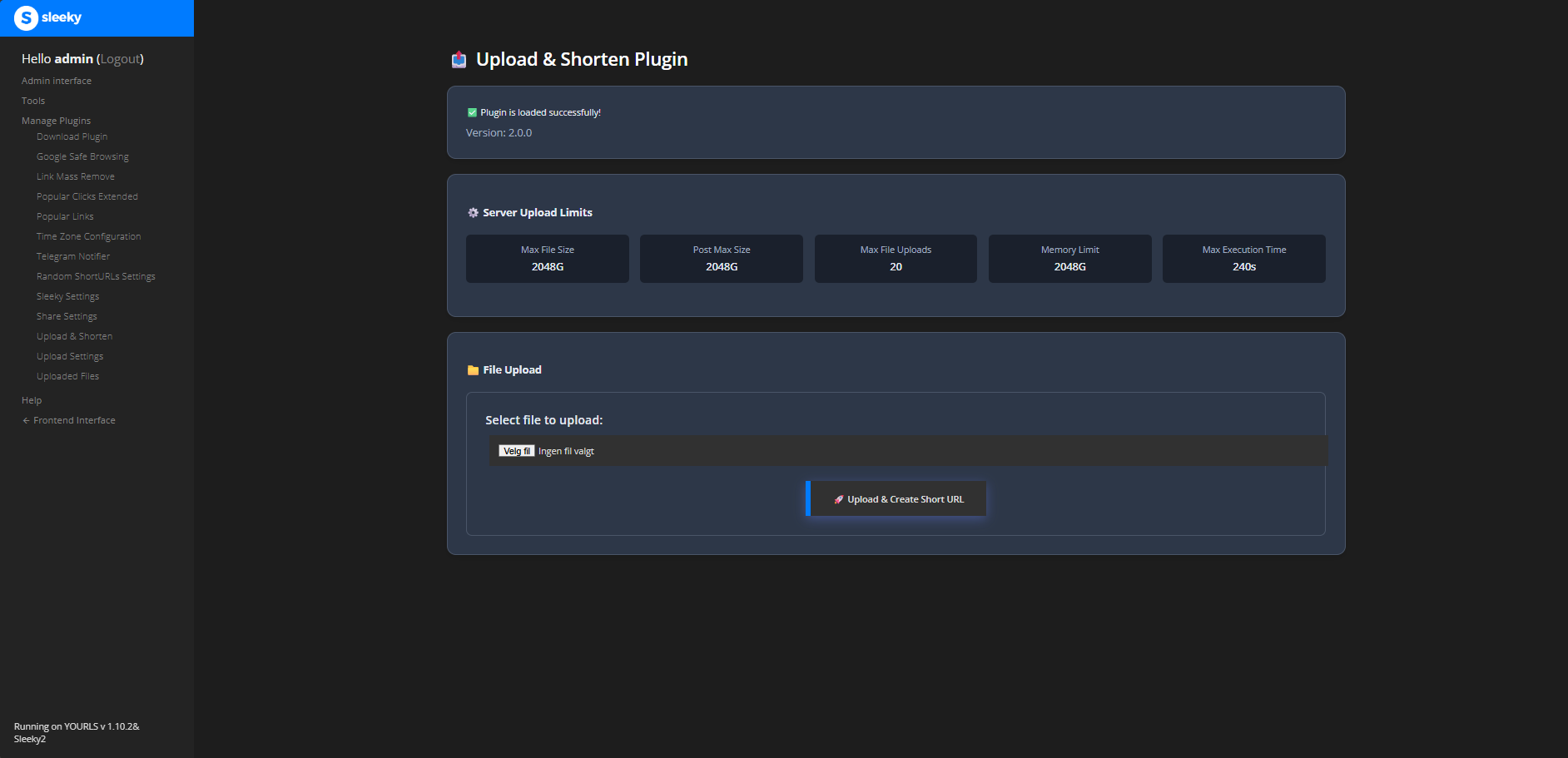 Upload files and create short URLs instantly with an intuitive, modern interface
Quick Start
Installation
- Use the Download Plugin or manually upload to
/user/plugins/ - Activate the plugin in your YOURLS admin panel
- Configure settings in “Upload Settings” page
- Start uploading files!
Basic Setup
- Set maximum file size (default: 10 MB)
- Configure allowed file types
- Choose storage location
- Enable frontend uploads (optional)
- Save and test!
Key Features
- File Upload & Shortening - Upload files and get instant short URLs
- Admin Panel Integration - Full admin interface with settings management
- Frontend Upload Support - Allow public users to upload files (configurable)
- Multiple Storage Locations - Configure different storage paths for various needs
- File Expiration - Set automatic file cleanup with customizable retention periods
- Download Tracking - Track file downloads through YOURLS analytics
- Advanced Security - CSRF protection, MIME validation, path traversal prevention, rate limiting
- Mobile-First Design - Fully responsive and optimized for all devices
- Drag & Drop Support - Modern file upload experience with progress indicators
- Multi-Language Support - Available in English, German, French, Spanish, Chinese, and Norwegian
Features Overview
Core Functionality
- Upload files and get instant short URLs
- Full admin interface with settings management
- Public upload interface (configurable)
- View, manage, and delete uploaded files
- Track file downloads through YOURLS analytics
Admin Features
- Configure multiple storage locations
- Set maximum file sizes for uploads
- Control allowed file extensions
- Configure automatic file cleanup
- Enable/disable public uploads
- Bulk file management
- Pagination for large file lists
- Advanced filtering and search
 Seamlessly integrated with YOURLS admin panel for easy management
Frontend Features
- Clean, responsive upload form
- Drag & drop file upload
- Real-time progress indicators
- Copy to clipboard functionality
- Mobile responsive design
- Custom upload messages
- Rate limiting per IP
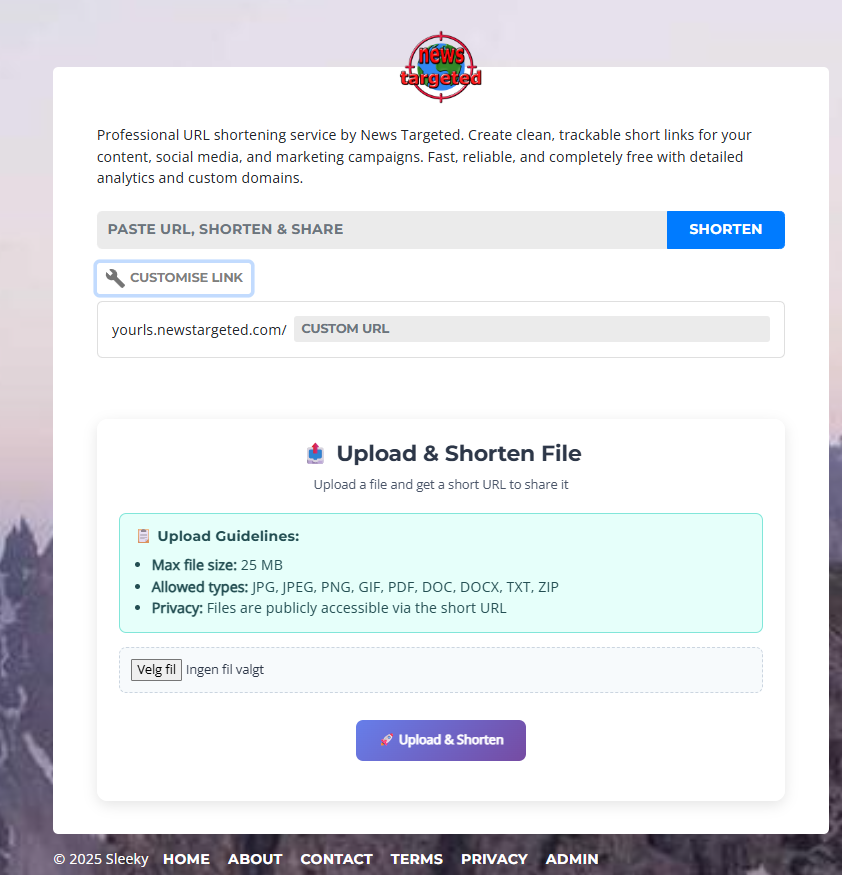 Beautiful public upload interface with file guidelines and easy-to-use controls
Security & Performance
- CSRF protection for secure form submissions
- MIME type and content validation
- Path traversal prevention
- Rate limiting to prevent abuse
- Clean URL support (SEO-friendly)
- Modular code structure (under 500 lines per file)
- Optimized database queries
Documentation
- Installation Guide - Complete installation instructions
- Configuration Guide - Settings and options
- Usage Guide - How to use the plugin
- Advanced Configuration - Custom setups
- Compatibility Guide - System requirements and compatibility
- Internationalization - Language support
- Troubleshooting Guide - Common issues
- Changelog - Version history and updates
Installation
See the complete Installation Guide for detailed instructions.
Quick Install
- Install via Download Plugin or clone to
/user/plugins/ - Set directory permissions (755 for plugin, 777 for uploads)
- Activate in YOURLS admin panel
- Configure settings
For detailed steps, troubleshooting, and server-specific instructions, see the Installation Guide.
Configuration
Configure the plugin through Admin Panel → Upload Settings. See the Configuration Guide for detailed settings documentation.
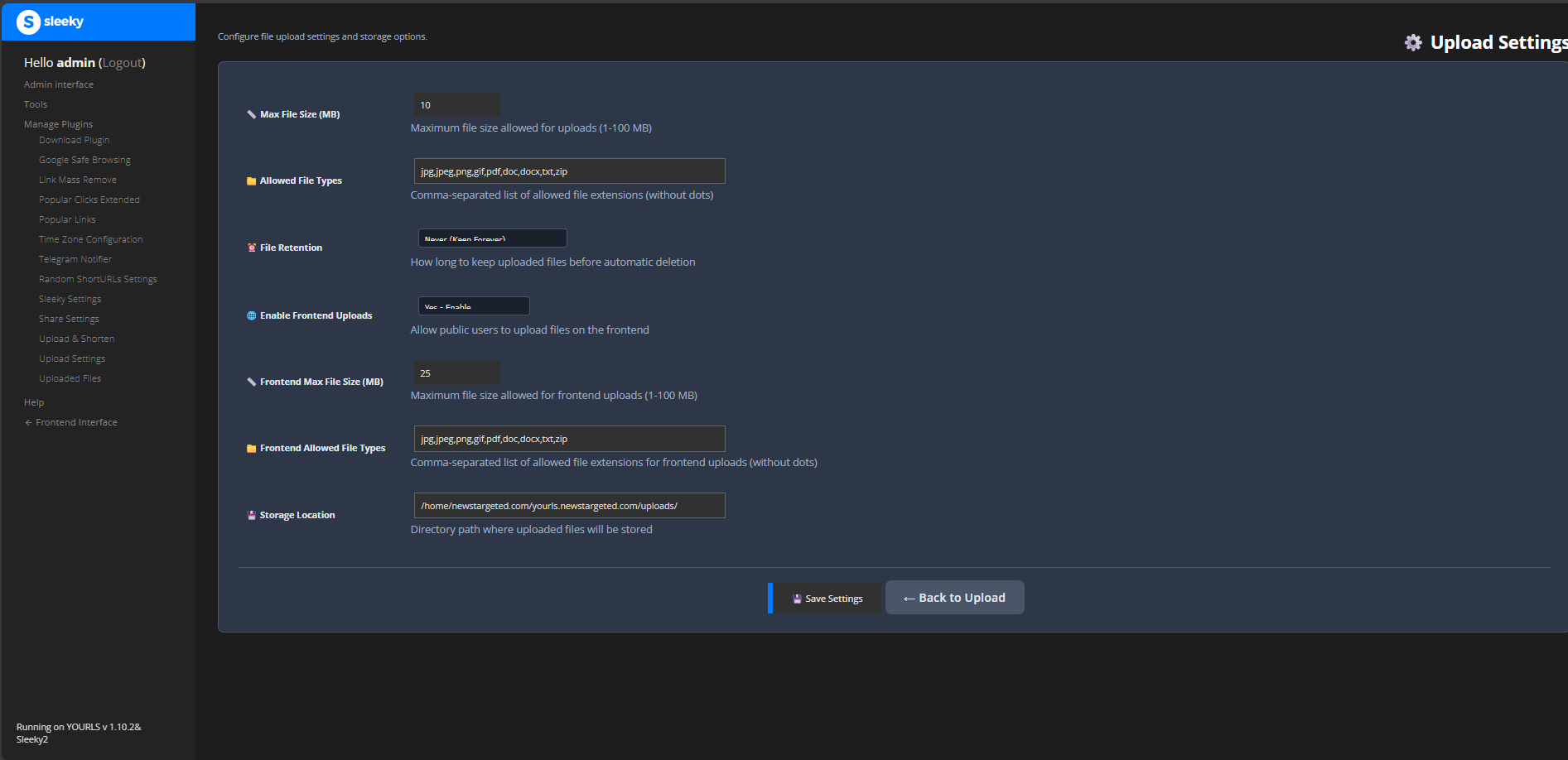 Configure all plugin settings from the intuitive admin interface
Key Settings
- File Upload Limits - Max size and allowed types
- Storage Locations - Multiple storage paths with individual settings
- File Expiration - Automatic cleanup (24 hours to never)
- Frontend Uploads - Public upload controls and restrictions
- Security - CSRF protection, MIME validation, rate limiting
For complete configuration details, including advanced options and security settings, see the Configuration Guide.
Usage
See the complete Usage Guide for detailed instructions.
Quick Usage
Admin Upload:
- Go to Upload & Shorten in admin panel
- Select file, customize options
- Get instant short URL
Frontend Upload (if enabled):
- Visit YOURLS homepage
- Use upload form
- Share generated short URL
File Management:
- View, search, and filter files in admin panel
- Track downloads and statistics
- Bulk operations and expiration management
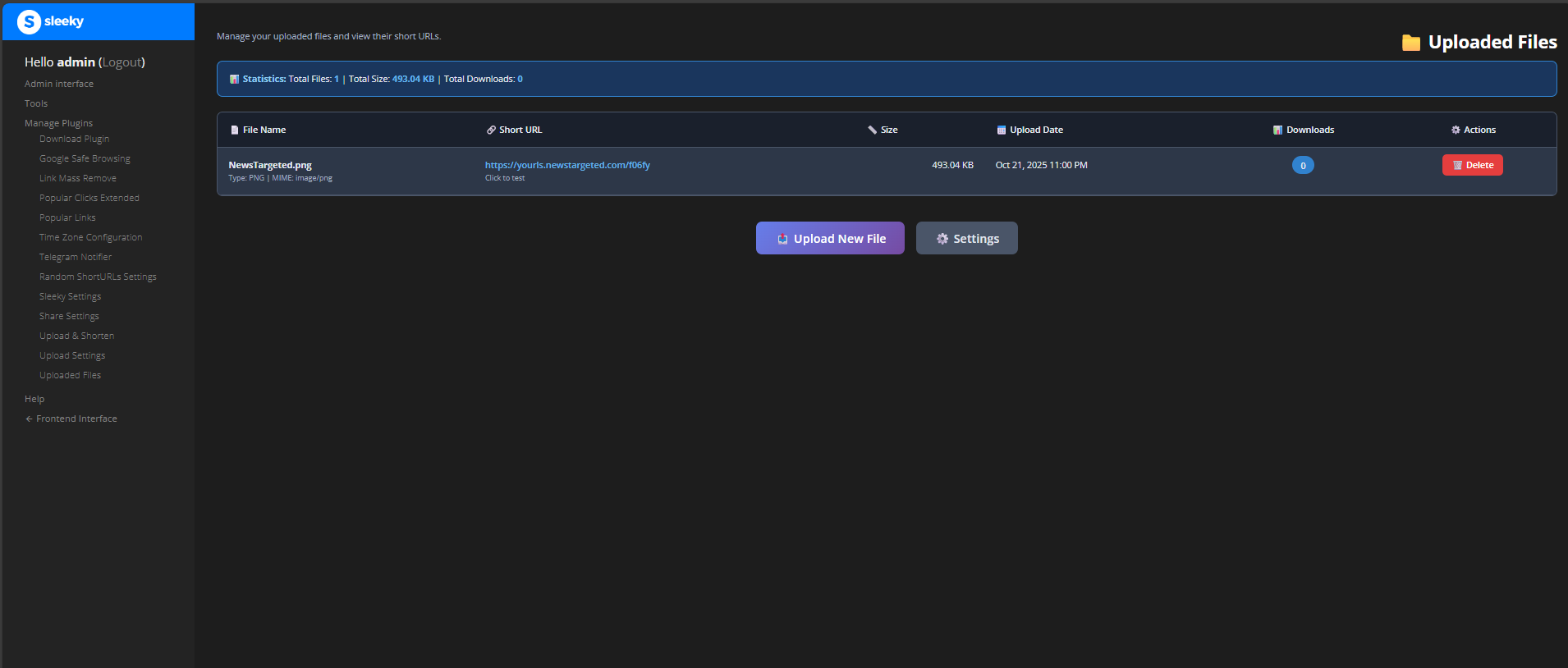 Manage all your uploaded files with detailed statistics and easy controls
For detailed workflows, best practices, and advanced features, see the Usage Guide.
Internationalization
The plugin is available in 6 languages. See the Internationalization Guide for details.
Supported: English, German, French, Spanish, Chinese (Simplified), Norwegian (Bokmål)
Configure in user/config.php:
define('YOURLS_LANG', 'nb_NO'); // Use your language code
Want to contribute a translation? See the Internationalization Guide.
Compatibility
Compatible with YOURLS 1.7+, PHP 7.4-8.6, and all major web servers (Apache, Nginx, OpenLiteSpeed, LiteSpeed Enterprise). Works with CyberPanel, cPanel, and Plesk. Tested on AlmaLinux 9.6 & 10.
For complete compatibility details, system requirements, and theme compatibility, see the Compatibility Guide.
Troubleshooting
Having issues? See the Troubleshooting Guide for solutions.
Common Issues
- File uploads not working - Check permissions and PHP limits
- Short URLs not redirecting - Verify file location and .htaccess
- Frontend uploads not showing - Check settings and theme compatibility
- Database errors - Verify tables and permissions
Debug Mode
// Add to user/config.php
define('YOURLS_DEBUG', true);
define('UPLOAD_DEBUG', true);
For detailed solutions and debug instructions, see the Troubleshooting Guide.
Changelog
Current Version: 2.0.0 (October 2025)
Complete rewrite with enhanced security, modern UI/UX, frontend uploads, file expiration, multiple storage locations, and comprehensive admin interface.
View complete version history and release notes in the changelogs directory.
Support & Contribution
- Issues: GitHub Issues
- Discord: Join our Discord Server
- Website: newstargeted.com
- Email: info@newstargeted.com
Contributing
We welcome contributions! Here’s how you can help:
- Report Bugs - Use the issue tracker to report problems
- Suggest Features - Propose new functionality
- Translate - Help with language translations
- Code - Submit pull requests for improvements
- Documentation - Improve documentation and examples
Author
Master3395 / News Targeted
- Website: newstargeted.com
- Email: info@newstargeted.com
- GitHub: @master3395
Credits
Enhanced by: Master3395 / News Targeted
For complete development history, original authors, and contributor credits, see the Version 1.0.0 Changelog.
License
MIT License - Free to modify and distribute.